With any desktop MT4, you can log into different servers without necessarily downloading the client provided by the broker. We only need to search for the broker’s server name.
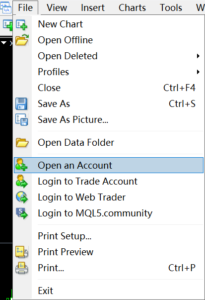
1: Click on “File”, then click on “Open an Account”
2: Enter the broker server name in the blank space and click “scan”
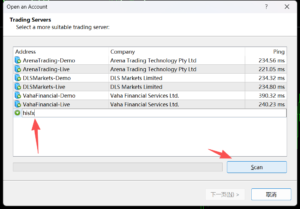
* It is not necessary to enter the full name of the broker,just the first half of the combined word is sufficient.